http://www.kickstarter.com/projects/zacharypark/zeniick-watches
I previously purchased 2 Zeniick watches from KickStarter. Click on the link above for more information about Zeniick watch.
The received items:
Electronics, programming, and tech tips — simple, practical, useful.
http://www.kickstarter.com/projects/zacharypark/zeniick-watches
I previously purchased 2 Zeniick watches from KickStarter. Click on the link above for more information about Zeniick watch.
The received items:
Today, this special Google Doodle caught my eyes, its something like a comic/story with some animation.

Click on the link above to visit Google homepage and type in “let it snow”.
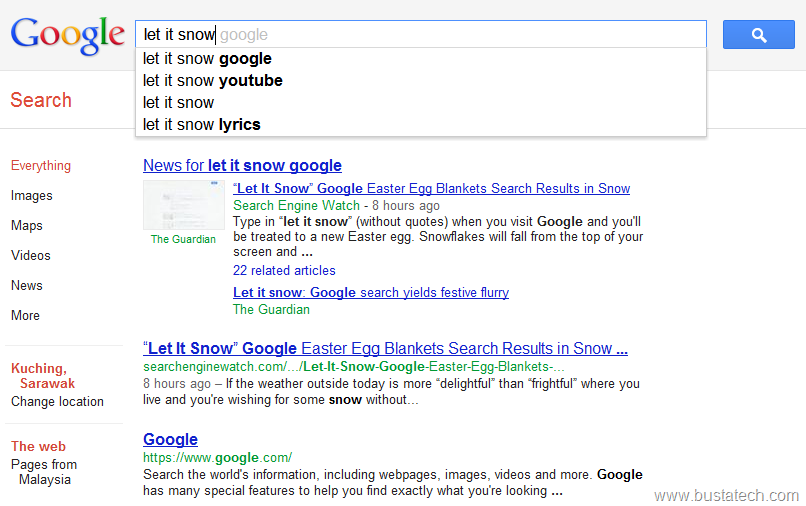
Press enter key or click the search button. And you should see the search result page start snowing. It is something similar to the “do a barrel roll” that the google search result page will actually do a barrel roll, if you search for those words (do a barrel roll).
http://edu.casio.com/products/ntd/fx570es/
I bought a new Scientific Calculator, Casio fx-570ES. You can click on the link above for more information about the calculator. Previously I am using Casio fx-570MS until recently I left my calculator at my hometown. The function for both of them are similar, and I am being told that the newer fx-570ES support more calculation function/feature which are not available in the older model. The one on the left is fx-570MS, (belongs to my housemate) and the one on the right is my new fx-570ES.

Normal functionality of the new calculator doesn’t give much problem to me, location of the keys similar to the new one. One thing that really bugs me on the new calculator is they remove the number prefix (like milli, nano, pico, Mega, Kilo, …) on the new calculator, and they change the combination of the SHIFT + Number to other functions. I will say I rely a lot on this function on my previous Scientific Calculator for the calculation of timing in my coding work.
http://code.google.com/p/chromium/wiki/ThemeCreationGuide
I have created a BustATECH Google Chrome Theme, mostly based on the colour arrangement of www.bustatech.com. For the complete Theme Creation Guide, click on the link above. The screenshot of BustATECH Google Chrome Theme.

I took around half day to learn on how to create a Google Chrome Theme, editing images, and finally its done. I will say it is quite simple.Simply follows the instruction from the Theme Creation Guide and you will have your customized theme. For those who likes this theme or want to try out this theme, please get the theme from https://chrome.google.com/webstore/detail/hnohflgafpephcmdnnghnhappjbdfbko. Open the link using Google Chrome, and click the Add to Chrome button. It takes few seconds to download and your Google Chrome theme will automatically switched to Bustatech theme.
http://mail.google.com/mail/help/motion.html
“Today” (1st April 2011), Google launch the latest Gmail feature called Gmail Motion. This new feature enables the user to control Gmail using Motion capture by Computer webcam. It means you can simply use your motion in front of your computer to control Gmail, like replying email, compose, archive, spam, and etc. Click on the link above for the Gmail Motion BETA.

Visit Gmail Motion page and try out the Gmail Motion BETA by clicking the “Try Gmail Motion” button.
http://www.20thingsilearned.com/Get the link above from a blog, and it is actually a book (this one very close to a real book) published by Google Chrome Team, that you can read it page by page, and this book is about the browser and the web.

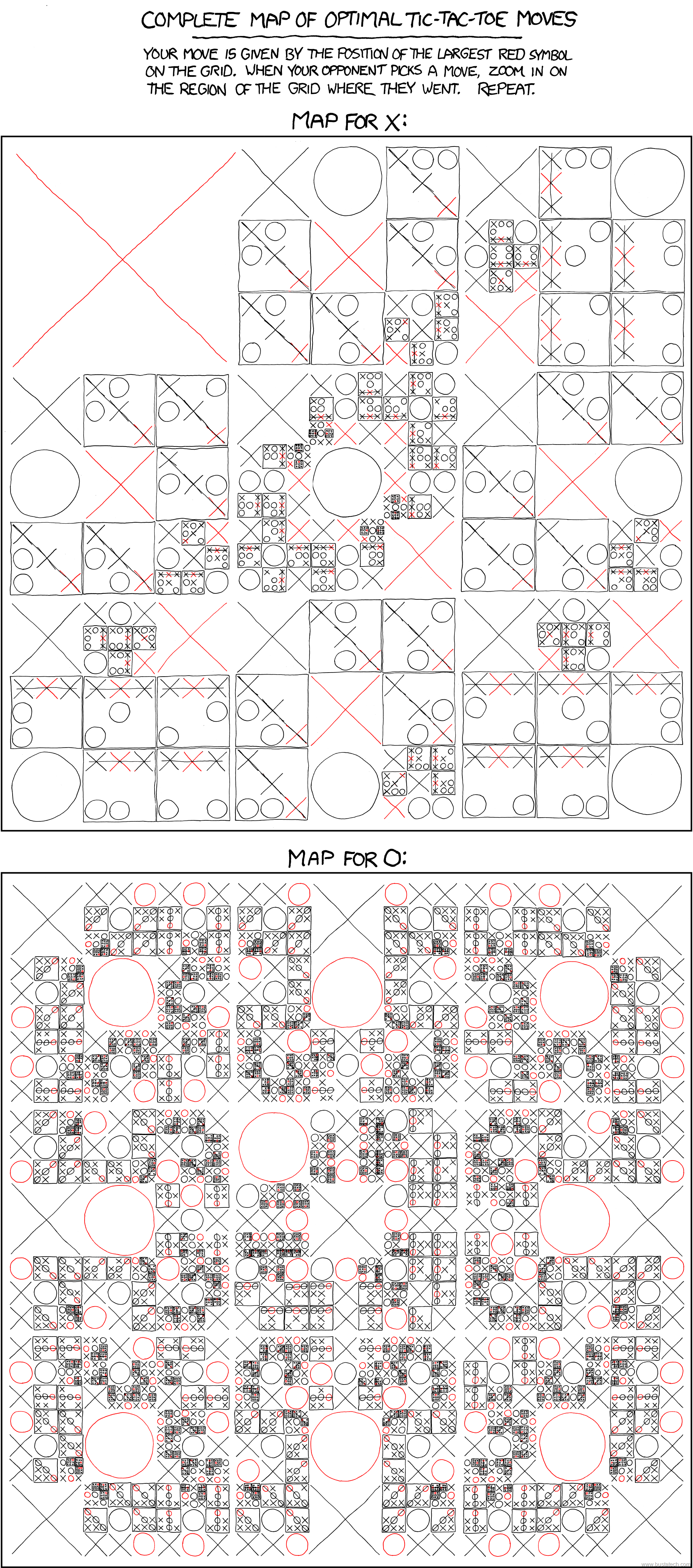
Recently visited this site (http://xkcd.com/832/), sent to me by a friend of mine, that provide the optimal moves for Tic-Tac-Toe. It is actually the “Complete Map of Optimal Tic-Tac-Toe Moves” that help you never to loose in a Tic-Tac-Toe anymore!
(click on the image to view full size image, the image taken from http://xkcd.com/832/)
Have a try!
I am browsing through the Google Chrome Extensions, at Chrome Web Store (https://chrome.google.com/webstore), and I found this, Do Not Press Extension (https://chrome.google.com/webstore/detail/aobdeilhnojnhkkdmjonphohbihecmeg#). This is really a very simple extensions, yet it create a lots of fun.
This is the print screen of the extension page, and I think I will not explain on the detail about this extension, or how to use it, because it will beat the purpose of that extension. Simply click on the Install button, and have a try on that RED button. You will have a fun 2-5 minutes I guess.

Have a try!
